

FAQ template and guide: how to write an FAQ page people actually use
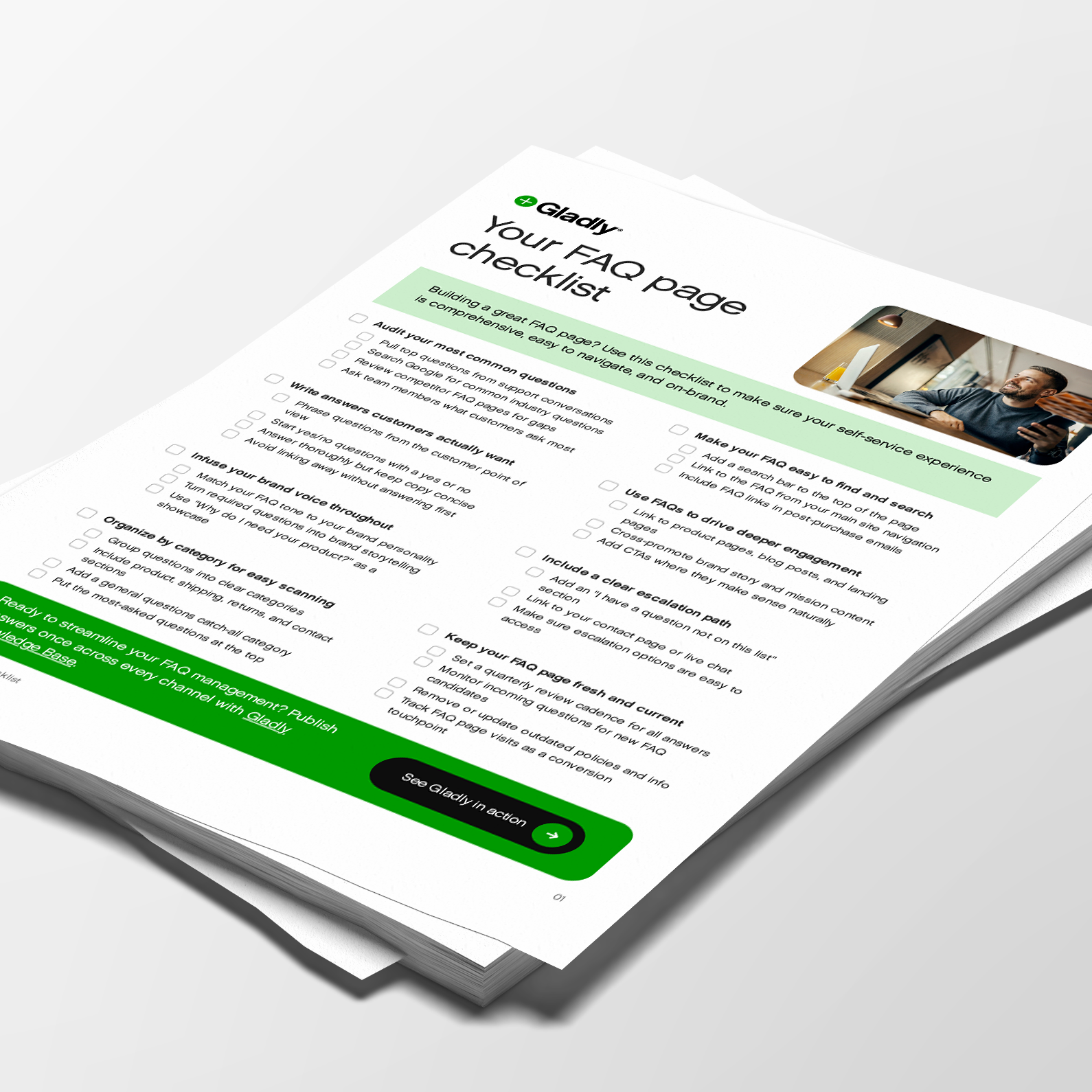
Your FAQ page checklist
A step-by-step checklist covering content strategy, page structure, navigation, brand voice, and maintenance to build an FAQ page that works.
Free download
Updated: 09/24/26
If you run a small online store, you already know your FAQ. It's the same eight questions landing in your inbox every week: where's my order, can I return this, does it run small, do you ship to Canada. An FAQ page answers those once, in public, so you can stop typing the same reply at 11pm.
Below is a free FAQ template you can copy, with sample answers written for ecommerce brands. After that, there's a step-by-step guide to writing your own questions and answers, plus how to keep the page useful for shoppers, for Google, and for the AI assistants that read your site to answer questions about your brand.
What an FAQ page is for
An FAQ page (frequently asked questions page) is a single place on your site that answers the questions customers ask most often. For most shoppers it's the first stop in self-service, and for a lot of them it's the only one. If the answer is there, they buy or they wait patiently for their package. If it isn't, they email you or leave.
A good FAQ page earns its keep in more than one way. It cuts repeat questions for whoever answers your inbox, whether that's you or a team of 40. It removes the doubts that stop people at checkout, like shipping costs and return windows. And it gives Google and AI tools like ChatGPT a clear, citable answer to pull from when someone asks about your brand.
Free FAQ page template
Copy this structure and swap in your own details. Anything in [brackets] is yours to fill in. The sample answers are written for an online store, since that's where FAQ pages get the most traffic, but the categories work for almost any business that sells to consumers.
Start the page with a search bar, then list questions by category. Keep each answer to a few sentences and link to the full policy page when there is one.
Orders and payment
What payment methods do you accept?
We accept [Visa, Mastercard, American Express, Discover, PayPal, Apple Pay, Shop Pay]. You can also pay in installments with [Klarna / Afterpay] on orders over [$X].
Can I change or cancel my order?
Yes, if it hasn't shipped yet. Reply to your order confirmation email or [chat with us] within [X hours] of ordering and we'll update it. Once an order ships, you'll need to start a return instead.
How do I use a promo code or gift card?
Enter it in the "Discount code or gift card" box at checkout. Only one promo code can be used per order, and codes can't be applied to orders that have already been placed.
Shipping and delivery
How long does shipping take?
Orders ship within [1 to 2 business days]. Standard shipping takes [3 to 7 business days] after that, and express takes [1 to 2]. You'll get a tracking link by email as soon as your order leaves our warehouse.
Where's my order?
Use the tracking link in your shipping confirmation email, or enter your order number and email on our [order status page]. If tracking hasn't updated in [3 business days], contact us and we'll look into it with the carrier.
Do you ship internationally?
We ship to [the US and Canada]. [We don't ship outside North America yet, but we're working on it. Join our email list to hear when we expand.] International orders may be charged duties and taxes by your country's customs office.
How much does shipping cost?
Standard shipping is free on orders over [$X]. Under that, it's a flat [$Y]. Express shipping is [$Z].
Returns and exchanges
What's your return policy?
You can return unworn, unwashed items within [30 days] of delivery for a full refund. [Final sale items can't be returned.] [See our full return policy.]
How do I start a return or exchange?
Go to our [returns portal], enter your order number and email, and choose the items you're sending back. We'll email you a prepaid label. Exchanges ship as soon as your return is scanned by the carrier.
When will I get my refund?
Refunds go back to your original payment method within [5 business days] of your return arriving at our warehouse. Your bank may take a few more days to post it.
Products and sizing
How do I find my size?
Check the size chart on each product page. Our [tops run true to size and our denim runs small, so size up if you're between sizes]. Still unsure? [Chat with us] and tell us your usual size in another brand.
What are your products made of?
Every product page lists materials and care instructions under "Details." [All of our cotton is organic and certified by X.]
Is [product] right for [use or skin type or situation]?
Use this slot for the product question you get most. Answer it directly, then link to the product page or a buying guide.
Account and contact
Do I need an account to order?
No. You can check out as a guest. An account lets you track orders, save addresses, and start returns faster.
How can I reach your team?
[Chat with us] from any page, email [support@yourbrand.com], or call [number] [Monday to Friday, 9am–5pm ET]. We usually reply within [X hours].
I have a question that isn't listed here.
[Chat with us] or email [address] and we'll get back to you. If lots of people ask the same thing, we'll add it here.
How to write an FAQ page, step by step
The template gets you a structure. The steps below get you the right questions and answers for your own customers, which is what makes an FAQ page work.
1. Pull questions from your own inbox first
Your best source is the questions people already send you. Export the last 90 days of emails, chats, and DMs and sort them by topic. If you use a help desk, most of them will show you top contact reasons. If you're answering from a shared Gmail inbox, a spreadsheet and an afternoon will do it.
Then check what people search for. Google Search Console shows the queries that bring people to your site, the "People also ask" box shows related questions, and your own site search logs show what shoppers typed and didn't find. Competitor FAQ pages are worth a look for gaps, but your inbox should decide what goes at the top.
2. Group questions the way shoppers think
Organize by the moment the customer is in: before they buy (products, sizing, shipping costs), after they buy (order status, changes), and when something goes wrong (returns, damaged items). Five or six categories is plenty for most stores. Put the most-asked question first in each group.
3. Answer in the first sentence
Lead with the answer. If it's a yes or no question, start with yes or no. Put numbers where people can see them: "30 days" beats "a generous return window" every time. Then add the one or two details that stop the follow-up question, like whether the window starts at purchase or delivery.
Write the way you'd talk to a customer on the phone. Your FAQ page is still your brand, and a stiff, legal-sounding answer makes a return policy feel like a trap even when it's generous.
4. Keep one question per answer
Answer one question per entry. When a single answer covers returns, refunds, and exchanges, shoppers have to read the whole thing to find their part, and search engines and AI tools have a harder time matching it to a specific question. Split them up and link related answers to each other.
5. Write answers an AI can quote
AI shopping assistants and answer engines now read your FAQ page to answer questions about your brand, and so does any AI agent you put on your own site. They do best with plain text and specific facts written in full sentences, which happens to be what shoppers want too. A few habits help:
Write the full answer in text. AI tools can't read a policy that only exists in an image or a video.
Spell out acronyms and product names the first time you use them.
Use the same terms everywhere. If it's a "returns portal" in one answer, don't call it a "return center" in the next.
Keep dates and prices current, because an AI will repeat an outdated shipping cutoff with total confidence.
See your FAQ answers go to work
Gladly turns your FAQs, policies, and guides into personalized answers for shoppers, in your brand voice. See how it works in the interactive demo.
6. Put it where people get stuck
A great FAQ page nobody finds doesn't reduce a single email. Link to it from your footer, your order confirmation and shipping emails, and your contact page. Better still, put the relevant answers where the question comes up: shipping costs in the cart, sizing on the product page, return windows near checkout. On mobile, use expandable sections so shoppers can scan questions without scrolling through every answer.
7. Always leave a way to reach a person
Some questions won't be on the list, and some customers just want a human. End the page with a clear way to contact you, and keep it one click away. When contact details are buried, people get frustrated before they ever reach you, and that frustration shows up in the conversation and the review.
FAQ page examples by what you sell
The template above covers the basics. Here's what to add depending on your products. For deeper examples, see our guide to FAQ updates that reduce support volume for consumer goods brands.
Apparel and footwear: sizing and fit by product line, how items fit compared to popular brands, care instructions, and whether exchanges ship before the return arrives.
Beauty, skincare, and supplements: ingredients, allergens, whether products are vegan or cruelty-free, shelf life, and whether opened items can be returned.
Subscriptions: how to skip, pause, or cancel, when you'll be charged, and how to change what's in the next box. Make cancellation easy to find. Hiding it creates more tickets and more chargebacks.
Furniture and large items: delivery windows, whether delivery includes setup, what happens if something arrives damaged, and how returns work for oversized items.
Food and perishables: shipping days, how products are packed to stay cold, and what to do if a box arrives warm.
Does FAQ schema still matter?
Less than it used to. Google stopped showing FAQ rich results in search in May 2026, after years of limiting them to government and health sites. FAQPage structured data is still valid and does no harm, so there's no need to remove it if you already have it. But it no longer earns you the expandable questions under your search listing.
What still matters is the content itself. Clear questions as headings, direct answers right below them, and a page that loads fast are what help your answers show up in Google's AI Overviews, "People also ask" results, and AI chat tools.
How to tell if your FAQ page is working
Check these every month or so:
Top contact reasons. If "where's my order" is still your number one ticket after you've published a clear answer, the answer isn't being found or isn't good enough.
Site search with no results. Every search that returns nothing is a question you haven't answered yet.
Contact after viewing. If lots of people visit the FAQ page and then open a chat or send an email about the same topic, that answer needs work.
Whether problems got solved. Fewer tickets is only a win if customers got what they needed, so watch whether repeat contacts and complaints drop along with volume.
By helping us refine and clarify our Answers, Journeys has boosted our AI containment rate over 5% within just the first week of implementation. This has allowed us to move beyond assumptions and truly understand the difference between what we think customers want and what they actually need help with.
Deborah Fagan
Sr. CX Manager, Kalkomey
Keep it current
An outdated FAQ page does more damage than a missing one, because customers act on it. Review your FAQ whenever a policy changes, before your busiest season (holiday shipping cutoffs belong on the page by early October), and any time a new question shows up in your inbox more than a few times a week. Put a name next to the page so someone owns it.
FAQ management with Gladly
When your FAQs live in five places (the website, a help desk, macros, a chatbot, and someone's head), they drift out of sync fast. Gladly keeps them in one knowledge base. You write an answer once and publish it to your Help Center, your chat widget, and the answers your team uses across channels, in multiple languages.
The same public answers also feed Gladly, our AI agent, so it answers customers from the policies you've already approved. When a question needs a person, the conversation moves to your team with the full history attached, so nobody has to ask the customer to start over. Learn more about FAQ management with Gladly.
One set of answers for every channel
In a live demo, see Gladly answer customer questions from your knowledge base and hand the conversation to your team, with full context, when a person needs to step in.

Frequently asked questions
Recommended reading

5 FAQ updates that reduce support volume for DTC brands
Strategic FAQ updates help DTC brands cut support tickets by 40%. Learn how to answer product questions, handle returns, and scale ecommerce customer service.
By
Maya Williams

7 customer support knowledge base best practices
Live chat, SMS, Facebook Messenger—customers today have near-instant access to help from a company at their fingertips.
By
Angie Tran

Customer service automation best practices
How leading brands automate support without losing the human touch, with real examples and pros and cons.
By
Gladly Team