
Imagine you have a customer on your checkout page. They’re just about to enter their credit card details but realize they have a question about shipping times. They start a quick chat session and get their question answered, but as they go back to checking out decide, ‘Maybe I’ll just sleep on it and get it tomorrow.’
Sure, you could follow up with an email or targeted ads. But when a customer leaves your site, it’s a challenge to get them back to the proverbial table (or shopping cart).
Capturing more live chat sales
Instead, what if you could empower your agents to close the sale, in the moment, as they’re talking to your customer?
"Take Crate and Barrel, for example, who closed over $100,000 in sales in their first week of using Gladly’s Payments to process payments over their messaging channels."
Well, now you can.
Meet Payments
Payments is one of the most popular Gladly features that companies use to drive revenue through their contact centers.
This feature allows agents to (as the name suggests) process payments over messaging channels in a safe, secure manner.
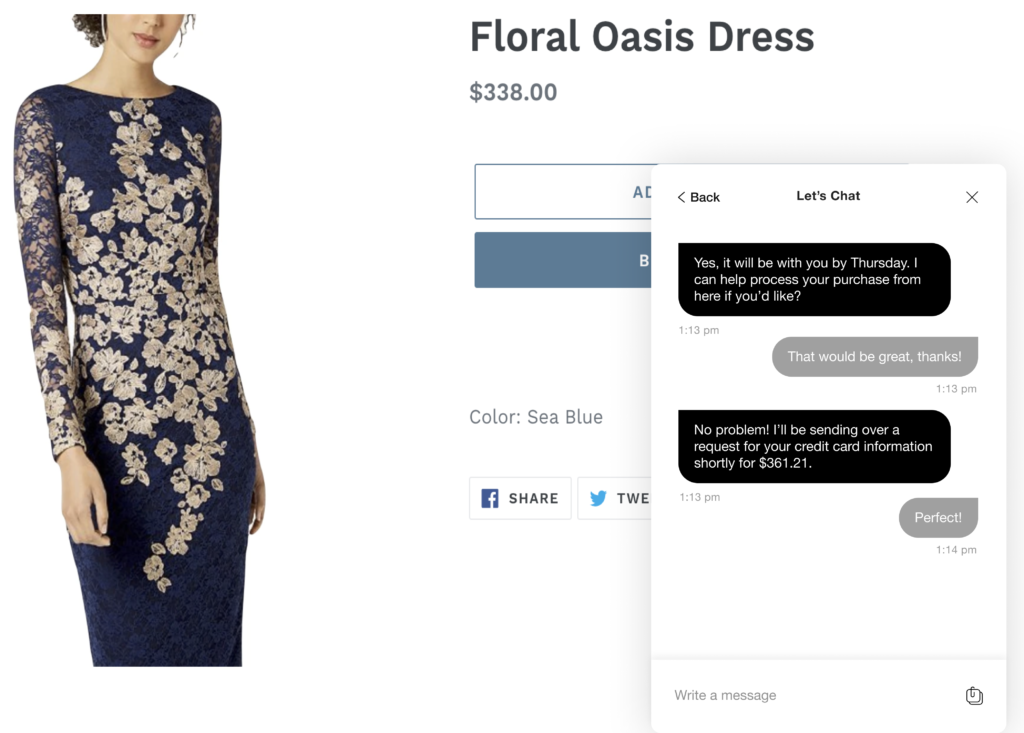
By making it easier for customers to buy in the moment—rather than transferring them to a voice agent or hoping they’ll complete the purchase on their own—you exponentially increase the odds of your customer going through with the buy.
Empowering agents to sell: How CX can drive revenue
Take Crate and Barrel, for example, who closed over $100,000 in sales in their first week of using Gladly’s Payments to process payments over their messaging channels.
Let’s see how it would play out with Payments.
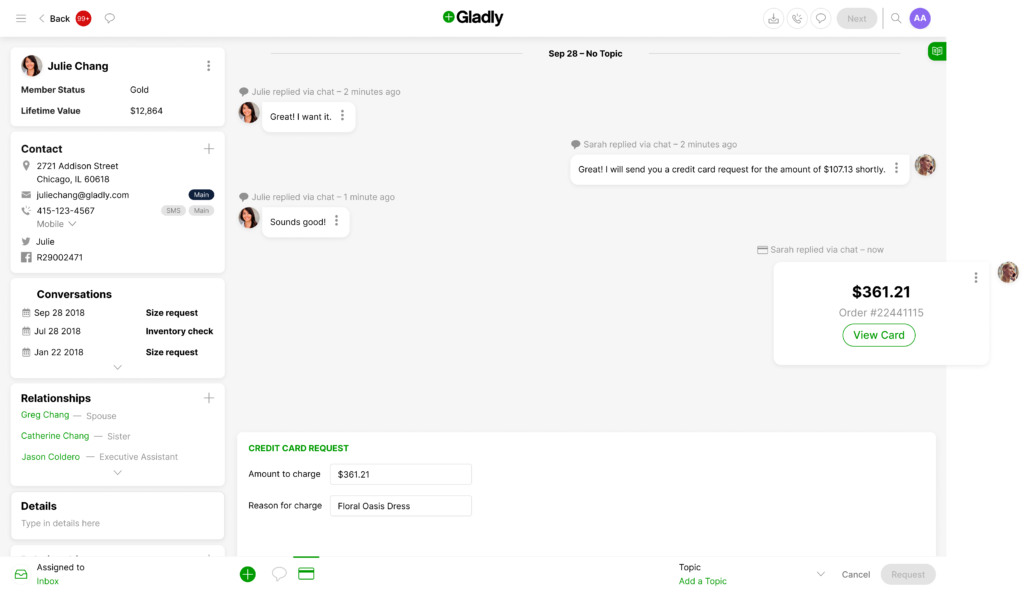
Step 1: agent requests payment
Instead of ending the chat session and leaving your customer to their own devices, your agent can request a payment from your customer right from the Gladly UI.
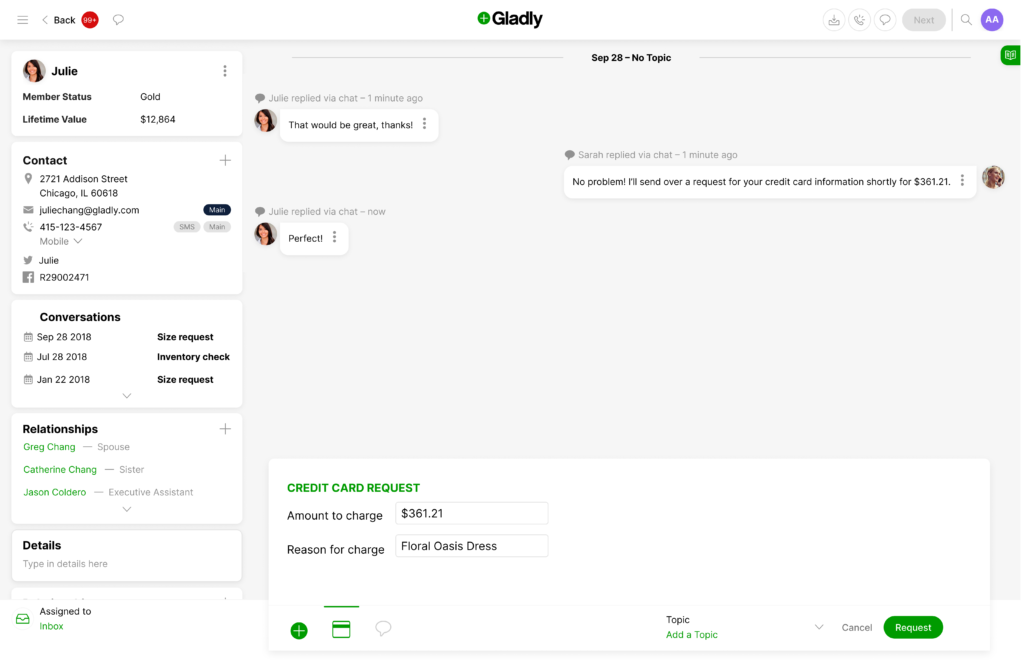
All they have to do is fill in the amount to be charged, what the charge is for, and then send the request over to your customer.
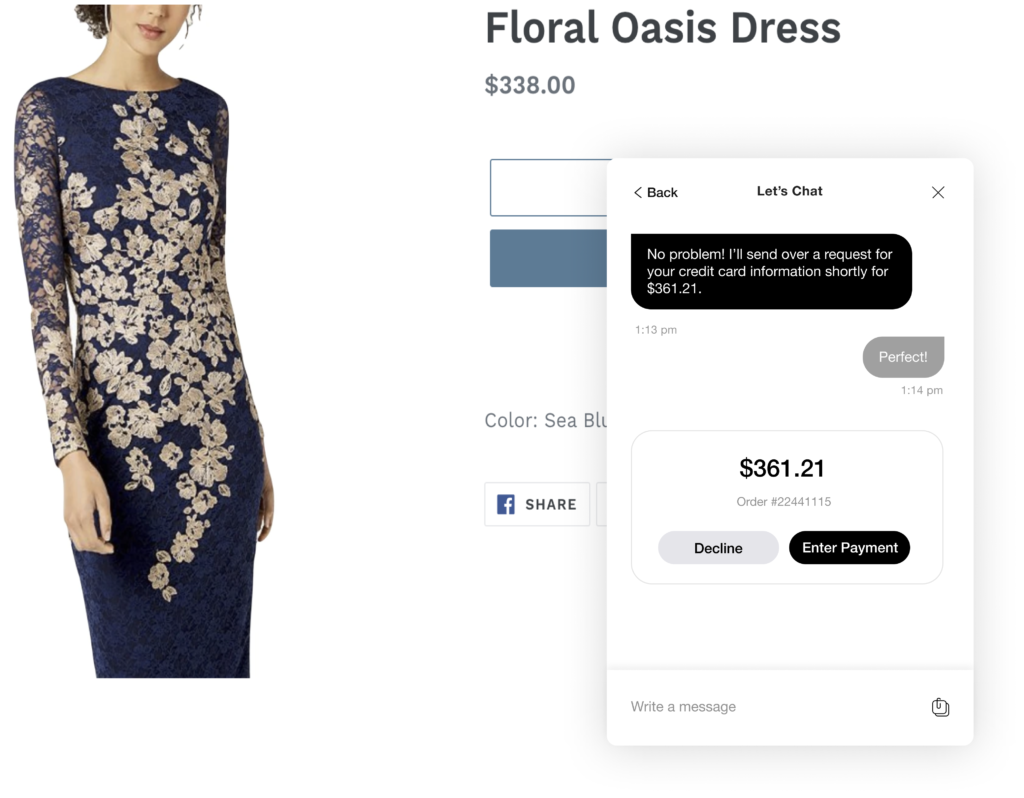
Step 2: customer accepts request
Your customer will then see the request for payment come through in the same chat window they’re talking to the agent on, with options to decline or go ahead with the purchase.
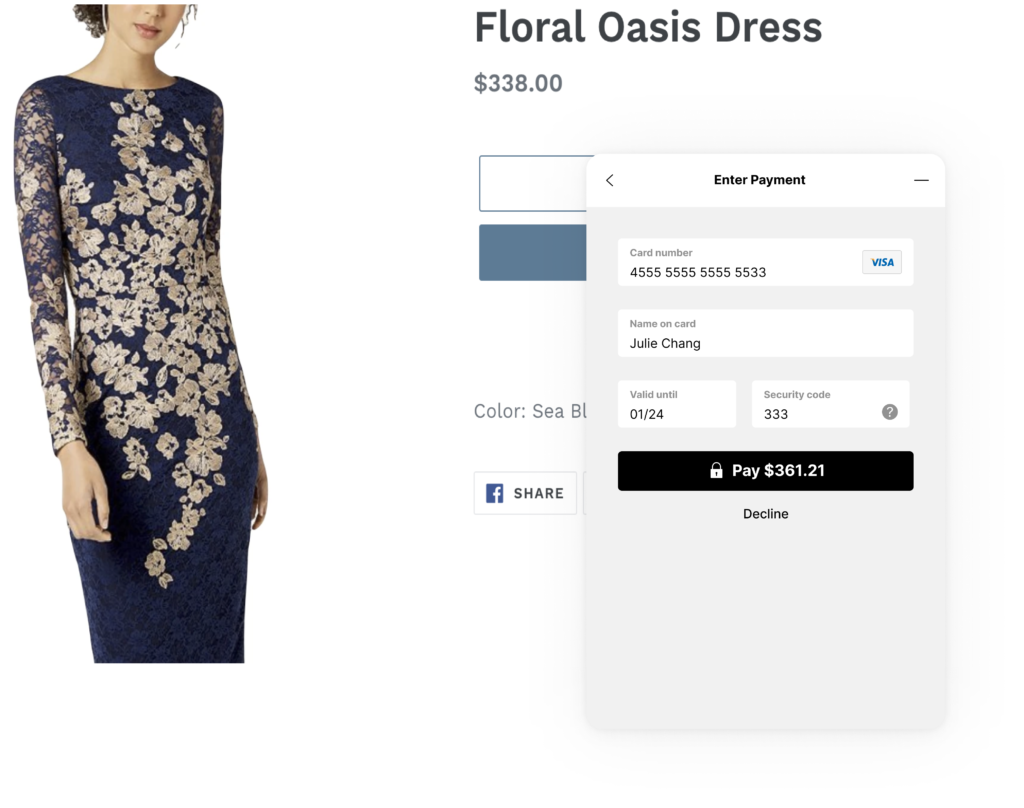
Step 3: customer submits their credit card information
Assuming they want to go ahead, they’ll hit the ‘Enter Payment’ button, and a secure form will then appear within the existing chat window, prompting them to fill in their credit card information.
Once your customer fills in the form, the next (and final step) for them is simply to click ‘Pay’.
Step 4: agent accepts customer information
When your customer submits the form, your agent will see an incoming message with the option to view the customer’s credit card information.
Once they click on ‘View Card’ your agent will have a limited period of time (which you can set at a company-wide level) within which to copy that information into your existing payment processing systems.
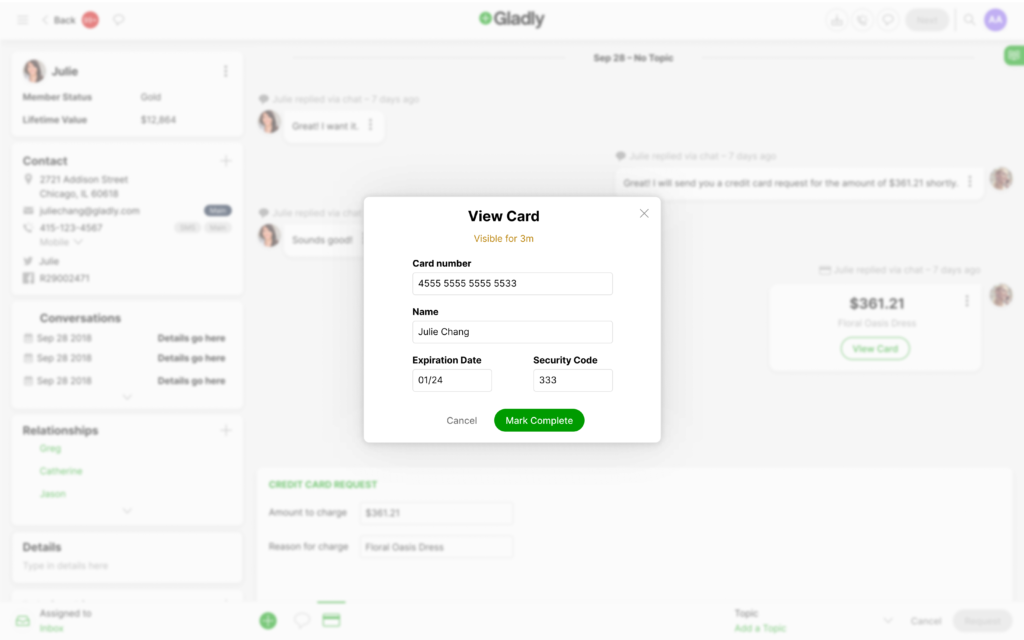
And as soon as that predetermined time is up, or your agent indicates they’ve finished transferring the information into your payments system—your customer’s credit card information is wiped from Gladly, and neither your agent nor anyone else in your organization will be able to access it again.
Step 5: it’s time to sale-abrate!
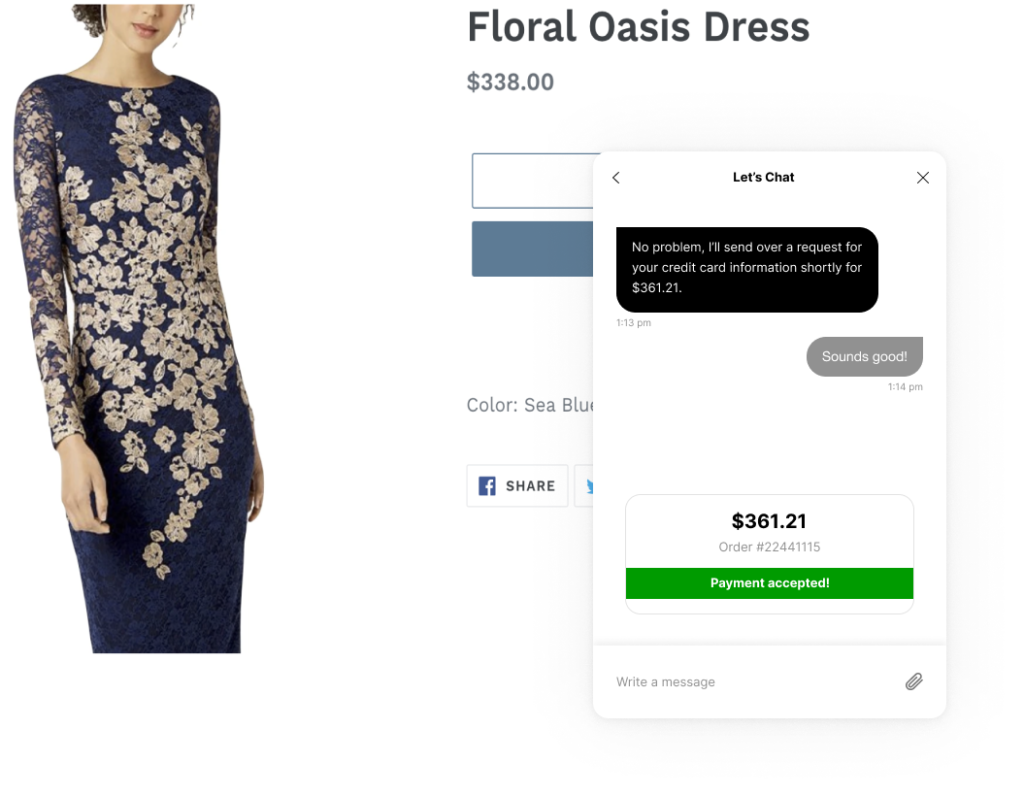
Once the payment goes through, your customer will get a message (again, in the same chat window they’re already on) notifying them that their payment was accepted.
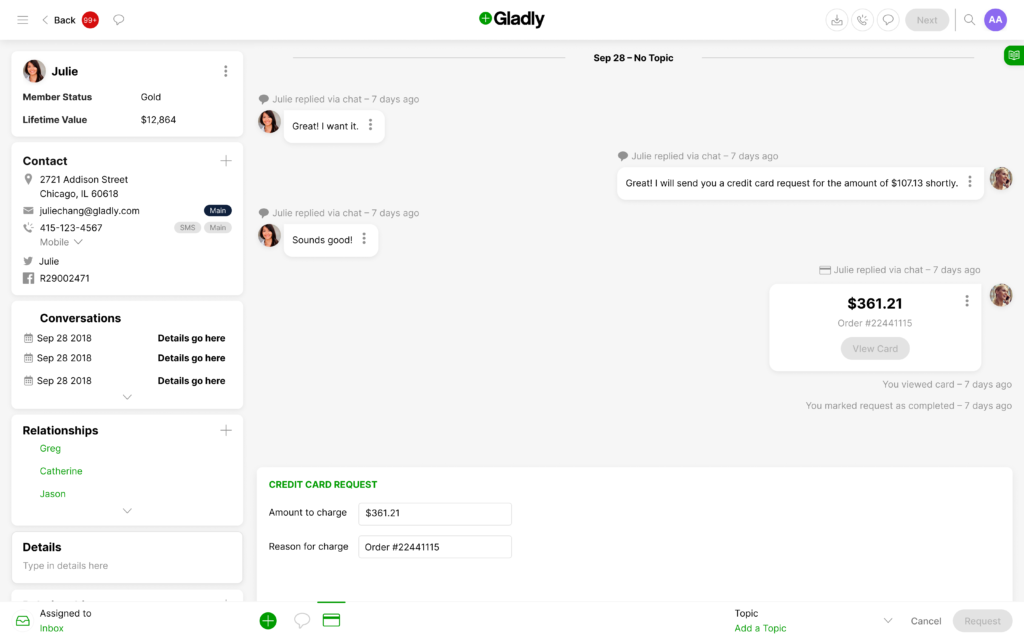
And that successful payment is also reflected in the Customer’s Timeline, so that the next agent they talk to (and the one after that) is always working with the most complete picture of who your customer is and how they like to shop.
By giving your customers the flexibility to complete their purchase wherever they are—and empowering your agents to do more than just answer questions—you not only take real, active steps against the dreaded cart abandon, but also distinguish yourself with an easy, effortless experience that your customers will want to return for.
Driving more CX revenue with Gladly
Payments is just one of the ways we’re helping companies drive revenue and increase efficiency through their contact centers. Join us for a demo, or check out our revenue generation resources.
Generating revenue from customer support teams

Maya Williams
Manager, Inbound Marketing
Maya Williams is a data-driven marketing strategist specializing in digital and inbound growth. At Gladly, she writes about how AI and analytics can transform CX teams into revenue-driving marketing engines. With deep experience in digital strategy and customer engagement, Maya brings a marketer’s perspective to how brands can use data and technology to create more impactful customer experiences.
Recommended reading

Customer service automation
Automated CS is a purpose-built process which aids the customer experience by using AI driven modes of communication
By
Angie Tran

Customer Service Glossary
Customer service terms defined.
By
Angie Tran

Setting Customer Service Standards
The health and wellbeing of any public-facing organization is utterly dependent on the quality of their customer service standards.
By
Angie Tran