

October 30, 202617 min read
How to build a single customer view for ecommerce personalization

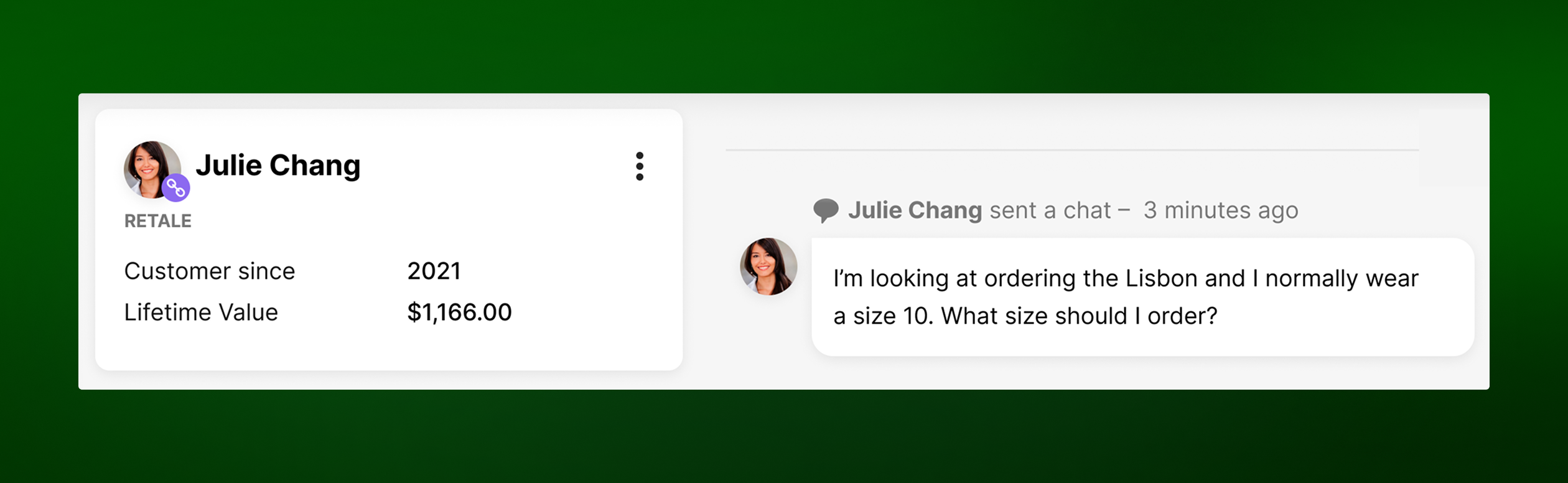
A customer emails about a late order, then opens chat an hour later because nobody has answered. If those two messages land in different tools, the person on chat starts from zero, asks for the order number again, and may promise something the email reply already contradicted. A single customer view is how you stop that from happening, and it's also what any personalization effort, human or AI, depends on.
A lot of advice on this topic treats a single customer view as a marketing database: collect the data, clean it, push segments to email and ads. That's part of it. For an ecommerce brand, though, the moments that test whether you know a customer happen in conversations, when someone asks where their order is or whether a jacket runs small. This guide covers how to build a view that works in those moments, for your team members and for AI.
What a single customer view is (and what it isn't)
A single customer view is one record per customer that combines their identity, orders, returns, browsing and marketing activity, and service conversations from every system and channel, so anyone helping that customer can see the full picture in one place.
The term often gets used for a "golden record," a cleaned-up profile that a data team rebuilds on a schedule and marketing pulls from for segmentation. A golden record is useful for campaigns. It falls short when a customer is waiting on chat, because a profile that refreshed last night doesn't know about the return label they asked for this morning.
The version worth building for ecommerce is a live record. It updates as orders ship and conversations happen, and the people and AI answering customers read from it mid-conversation and write what they learn back into it.
What data sources need to feed a single customer view
Before you connect anything, list the sources. Most ecommerce brands have three groups of customer data, and the third is the one that's easiest to leave out.
Commerce data (orders, returns, subscriptions, loyalty)
This is the backbone: order history, fulfillment and tracking status, returns and exchanges, subscription status and next ship date, loyalty tier and points balance. It usually lives in your ecommerce platform or order management system, plus separate apps for subscriptions, returns, and loyalty.
Commerce data answers most "where is my order" and "can I change this" questions on its own, which is why it's the first thing your service team needs on screen. Returns matter as much as orders. A customer who has returned the same size twice is telling you something about fit that should shape the next recommendation.
Browsing and marketing engagement data
Product views, cart contents, email and SMS engagement, and campaign history tell you what a customer is considering and how they like to hear from you. This is the data a customer data platform usually handles well, because marketing teams built those tools around it.
It's also the data that's hardest to tie to a person. Anonymous sessions only become useful once a shopper logs in, clicks a tracked email link, or checks out with an email address you already know.
Service conversations, the source that gets left out
Every chat, email, call, text, and social message is customer data, and often the most specific data you have. Customers tell you their size, who a gift is for, what went wrong last time, and which channel they'd rather use. In many stacks, that information stays locked in a help desk built around tickets, where each case closes and the context goes with it.
KÜHL ran into this before moving to Gladly:
With our previous ticket based system, you had to start fresh every single time, and it was frustrating for customers. My team couldn't make any connections because the system wouldn't link anything together.
KÜHL
If service conversations don't feed your single customer view, you lose the one source where customers explain themselves in their own words, and the one that changes fastest, since a single conversation can change a customer's order, address, or opinion of your brand.
How to build a single customer view in 6 steps
1. Pick the use case before the tech
Decide what the view has to do first, because it changes what "done" means. A view built for audience segmentation can refresh daily. A view built so a team member can answer a WISMO ("where is my order") chat without asking for an order number has to be current within minutes and readable inside the tool they're already working in.
Write down two or three specific moments you want to improve, such as a returning customer reaching out about an exchange, or a shopper asking for a recommendation on chat. Those moments tell you which data matters most and how fresh it needs to be.
2. Audit where customer data lives today
Map every system that holds customer data: your ecommerce platform, OMS, subscription and returns apps, loyalty program, email and SMS tools, analytics, and your service platform. For each one, note the identifiers it stores (email, phone, customer ID, social handle), who owns it, and how often its data changes.
Example audit for a typical ecommerce stack
System | Identifiers it stores | Typical owner | When its data changes |
|---|---|---|---|
Ecommerce platform | Email, phone, customer ID | Ecommerce team | Every order and account update |
Subscription app | Email, customer ID | Retention team | Every renewal, skip, or cancellation |
Returns app | Email, order number | Operations or CX | Every return or exchange |
Email and SMS tools | Email, phone | Lifecycle marketing | Every send, click, and opt-out |
Service platform | Email, phone, social handle | CX team | Every conversation |
This audit usually turns up duplicates you didn't know about, like the same customer stored under a work email in one tool and a personal email in another. It also shows which systems can share data through an API and which only export files.
3. Resolve identity across channels
Identity resolution is the work of deciding which records belong to the same person. There are two broad approaches. Deterministic matching links records that share an exact identifier, such as an email address, phone number, or customer ID. Probabilistic matching uses signals like device, location, and behavior to estimate that two records are probably the same person. Deterministic matching is more reliable, so most ecommerce teams start there and use probabilistic matching carefully, if at all.
Ecommerce adds a few specific problems:
Guest checkout creates orders tied to an email address but no account. You want guest checkout anyway: Baymard Institute's checkout research found that 18% of US shoppers who abandoned a checkout (excluding those just browsing) cited being asked to create an account. Plan to attach guest orders to a profile by email.
Customers reach you from different identifiers on different channels: a personal email at checkout, a mobile number on SMS, a social handle on Instagram.
Shared or changed identifiers, like a household email or a new phone number, can merge two people who shouldn't be merged.
Set merge rules before you automate anything. Decide which identifiers are strong enough to link records automatically, which only suggest a possible match for a person to confirm, and what happens when two records disagree on a field like name or address, keeping in mind that a bad merge is much harder to undo than a missed one.
A simple set of merge rules might look like this:
Exact email or customer ID match: link the records automatically.
Same phone number, different name: suggest the match for a team member to confirm.
Same shipping address only: never merge, since households and offices share addresses.
In Gladly, matching starts with contact details. Gladly primarily uses email addresses, phone numbers, or social accounts to look up an existing customer profile when someone reaches out, opens that profile when there's a match, and creates a new one when there isn't. When Gladly finds a profile that may be a duplicate, it suggests the match based on attributes like email, phone, social handle, or customer ID, and a team member confirms or rejects it.
4. Clean and govern the data
Bad data is expensive before it ever reaches a profile. Gartner estimated in 2021 that poor data quality costs organizations an average of $12.9 million every year. For a single customer view, the common fixes are standardizing formats (phone numbers, addresses, name casing), removing duplicates, and deciding which system wins when two sources disagree. For the fields customers ask about most, that ownership list might look like this:
Example of which system owns each field
Field | System that wins | Why |
|---|---|---|
Shipping address on an order | OMS or ecommerce platform | It's the address the warehouse ships to |
Email and SMS consent | Email and SMS tools | That's where customers opt in and out |
Loyalty tier and points | Loyalty app | Points change with every order and redemption |
Size and fit preferences | Service platform | Customers share them in conversations |
Conversation history | Service platform | It's where every conversation happens |
Governance covers who can see and change what, and what customers have agreed to. Store consent and contact preferences on the profile so a team member or AI doesn't text someone who opted out of SMS, and limit sensitive fields to the roles that need them.
5. Make the view available in real time to team members and AI
A profile nobody can see during a conversation doesn't help the customer in that conversation. Put the customer profile inside the workspace your team members already use to reply, and make sure the AI answering customers reads from that same record.
In Gladly, the customer profile is a record of everything your company knows about a customer, and it can include order data from an OMS such as Shopify. Team members see purchase history, preferences, and past conversations before replying, and Gladly AI sees the full context and history before it responds, so the customer doesn't have to re-explain anything to either one.
That profile is where the commerce data from earlier comes together. Through Gladly's integrations, it can pull purchase history from Shopify, BigCommerce, or Magento, subscriptions from apps like Recharge, returns from Loop, and loyalty info from Smile.io, so team members and Gladly AI work from orders and conversations in one place.
Rothy's set it up this way with Shopify and Loop:
We're fully integrated with Shopify and Loop, so my agents do not have to leave Gladly to do some pretty basic functions and lookups. For a lot of our inbounds, they're able to stay in Gladly and use that as the primary tool.
Rothy's
6. Write conversation outcomes back to the profile
The last step is the easiest one to skip, especially when marketing leads the project. When a conversation changes something, like an exchange processed, an address corrected, a size preference shared, or a complaint resolved, that outcome should land on the profile right away. Otherwise the next person (or the next campaign) works from stale information.
Say a customer mentions on chat that they wear a size 9 wide. If that note lands on the profile, the next team member they talk to, or Gladly AI when they ask for a recommendation three weeks later, can lead with wide-fit styles. If it stays buried in a closed chat transcript, everyone starts from scratch.
Gladly keeps a lifelong customer record across voice, SMS, email, chat, social, and other channels, so every message, resolution, and preference ends up on one record that doesn't close when a ticket would. Gladly also organizes those messages as a single conversation timeline that spans channels, which means a customer who starts on email and follows up on chat is still in one conversation.
Try Gladly AI right here
Want to see what Gladly AI knows when a customer reaches out? Ask it.
This is the same Gladly AI brands use with their customers. Ask how it keeps one record across channels.
Where a CDP fits (and where it stops)
A customer data platform (CDP) collects data from many sources, resolves identities, and builds profiles that marketing tools can use for segmentation and activation. If you run a lot of paid and lifecycle marketing, a CDP is often the system that stitches together browsing, campaign, and purchase data.
A CDP usually isn't where service conversations happen, though, so conversation data only reaches it if someone builds that connection and keeps it running. A CRM is built mainly to manage relationships and sales activity, and it typically holds less behavioral data. We cover the differences in more detail in our guide to customer data platform vs. CRM.
For most ecommerce brands, the practical answer is that a single customer view draws on more than one system but comes together in one place for the people and AI talking to customers. The CDP can own marketing identity and segments, and your OMS owns orders. In Gladly, the unified customer profile pulls in order, subscription, returns, and loyalty data alongside every conversation, so it becomes the live record team members and Gladly AI work from. Identifiers need to match across all of these systems, and each one has to share what the others need.
Common data-quality obstacles to unification
Even with the steps above, a few problems keep coming back. Each one ties to a step, so use this list as a check:
Stale data. Profiles that sync nightly show yesterday's order status, so anything a customer might ask about mid-conversation needs to update within minutes (step 5).
One-way data flow. Outcomes never flow back out of the conversation, so marketing keeps promoting a product the customer just returned (step 6).
Service data with no owner. Conversation history sits in the help desk and nobody is responsible for connecting it, which is why the audit in step 2 names an owner for every system.
Over-eager merging. Aggressive matching rules combine two people who share a household email (step 3).
Missing consent data. Contact preferences live only in the email tool, so other channels don't respect them (step 4).
Most of these come from treating the single customer view as a one-time integration project. It works better as a product with an owner, a list of use cases, and a regular review of match rates and duplicate counts.
Using a single customer view to power personalization
McKinsey's 2021 Next in Personalization report found that 71% of consumers expect companies to deliver personalized interactions, and 76% get frustrated when that doesn't happen.
In service, a customer who writes "my order hasn't come" gets an answer that names the order, shows its tracking status, and skips the request for an order number. A customer with two recent returns for the same size gets offered an exchange in a different size, with a note about how the item fits. A loyalty member gets recognized as one without having to say so.
In shopping, the same record shapes recommendations. If a customer asks for a gift idea on chat, the profile shows what they've bought before, what they returned, and who they've mentioned buying for. Gladly Agentic Commerce surfaces product recommendations drawn from the customer's history and your catalog, so the customer never has to explain their taste from scratch.
That second use case is where ecommerce is heading. Agentic commerce, where AI helps customers discover, decide on, and buy products through conversation, only works as well as the context the AI has about the person it's talking to, and a single customer view is where that context comes from. For a look at how brands use AI in these conversations today, see our guide to conversational AI for ecommerce.
How brands use a single customer view in practice
PacSun's Sr. Manager of CS, Pablo Sanchez, put it this way:
We now have a clear view of the customer contact history in one single profile. It’s our biggest gain in efficiency.
Pablo Sanchez
Sr. Manager of CS, PacSun
PacSun also consistently scores 90+ on CSAT. You can read more in the PacSun customer story.
Rothy's described what that looks like as the business adds channels:
It's really impactful that we can have all channels inbound into the same conversation timeline. As you grow your business strategy, Gladly makes it very easy without losing a lot of data and customer insight and that personalization.
Rothy's
More about how Rothy's uses Gladly is in the Rothy's customer story.
Tecovas puts that context to work on the shopping side:
Gladly AI helps us connect with high-intent shoppers in the moment, guide them to the right products, and drive immediate revenue, all while laying the groundwork for long-term loyalty.
Krystal Cortez
CX Senior Ops Manager, Tecovas
A single customer view is what lets your team members and Gladly AI pick up where the last conversation left off, whether the customer wants a refund or a recommendation. To see what that looks like in a real conversation, ask Gladly AI in the box above.
Frequently asked questions
Recommended reading

Customer data platform vs. CRM: what’s the difference?
How a CDP and a CRM differ, when an ecommerce brand needs a CDP alongside its CRM, and how to connect them so every team sees the same customer.
By
Gladly Editorial

Conversational AI for ecommerce use cases, results & how to start
Where conversational AI fits from product discovery to exchanges, what KÜHL and Rothy's saw, and how to start with one use case and expand.
By
Gladly Editorial

The complete customer profile checklist for radically personal service
Are you collecting the right types of first-party data to take your customer service to the next level?
By
Angie Tran