

October 27, 202613 min read
Free retail marketing roadmap template (and how to build one that survives reality)

If the roadmap you made in January no longer matches what your team is doing, you probably know how it happened. A promo got pulled forward, a product launch slipped, someone in leadership asked for a TikTok strategy, and nobody had time to update the plan. This guide comes with a free retail marketing roadmap template built to handle that, and it walks you through filling it in so the roadmap still reflects reality in month nine.
What a retail marketing roadmap is (and how it's different from a marketing plan)
A retail marketing roadmap is a one-page view of which marketing initiatives you'll run over the next 12 months, when each one happens, who owns it, and which business goal it supports. It's the thing you put on the screen when the CEO asks what marketing is doing next quarter and why.
A marketing plan covers more ground. It usually includes your positioning, audience research, budget by channel, messaging, and the reasoning behind your strategy, and it can run 20 pages. The roadmap is the schedule that comes out of that plan. If the plan answers "what's our strategy," the roadmap answers "what are we shipping, and in what order."
Retail roadmaps have a few quirks that generic templates ignore. Your year is shaped by fixed dates like Black Friday and Mother's Day, your marketing team usually shares resources with ecommerce and merchandising, and a single bad holiday quarter can decide the whole year. A template built for a software launch calendar won't account for any of that.
Download the template: what's inside
Make a copy in Google Sheets · Download the Excel version
The template is free and ungated. The Google Sheets link asks you to save your own editable copy, and the Excel version downloads straight to your computer. It has six tabs, and the guide below follows them in order.
Start here. Set your roadmap start month once, and every other tab updates to match. This tab also explains the scoring and the color legend: pale green cells are yours to edit, and gray cells hold formulas you should leave alone.
Goals. Three to five business goals, each with the marketing objective, KPI, baseline, target, deadline, and owner that ladder up to it.
Initiatives. Every idea you're considering, tagged to a goal and a team or channel, scored from 1 to 5 on impact, confidence, and effort. The sheet calculates a priority score and ranks everything for you.
Retail calendar. Key US retail dates for your 12-month window, calculated from your start month, plus space for your own dates like a brand anniversary sale or your last day to ship for holiday delivery. Add how many weeks of prep each one needs and the sheet tells you when to start.
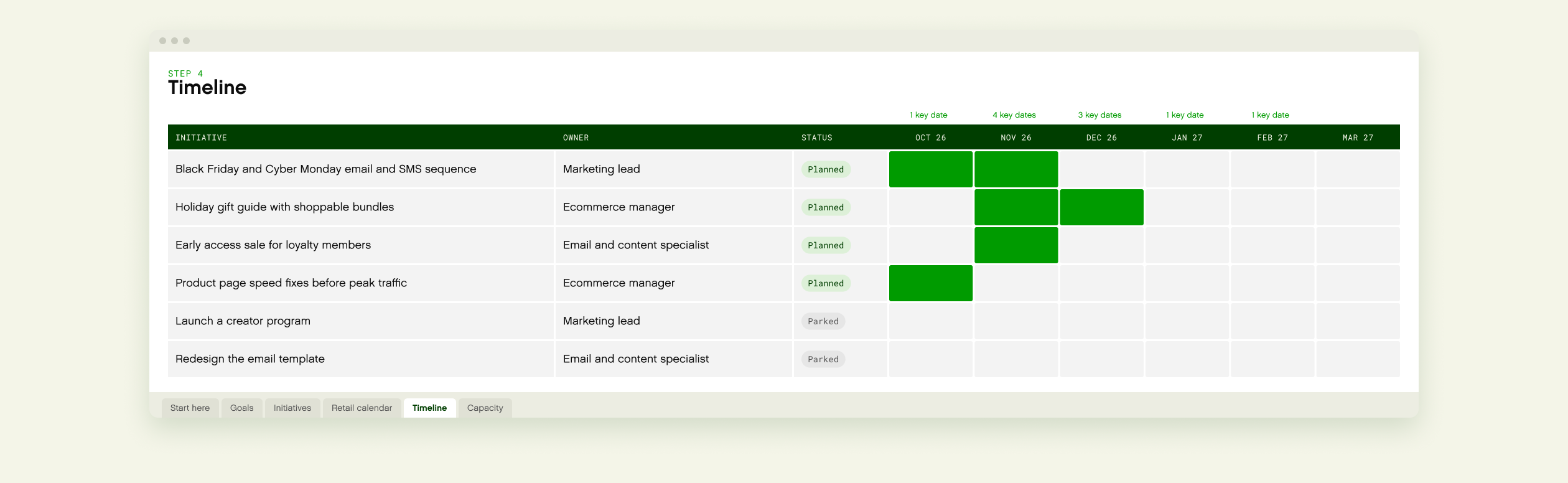
Timeline. A Gantt view that draws itself from the start and end months on the Initiatives tab and flags months that contain key retail dates.
Capacity. Your team's weekly hours compared against the hours you've planned, quarter by quarter, so you can see overload before it happens.
Each tab has one example row filled in. Overwrite it or clear it when you add your own.
How to build your roadmap in 6 steps
Start from business goals
It's tempting to open a roadmap by listing channels: email, paid social, SEO, influencers. That produces a plan full of activity with no way to tell which activity matters. Start on the Goals tab with what the business needs this year, and work backward.
A useful goal has five parts. The business goal is what leadership cares about, like "grow online revenue." The marketing objective is the specific lever you'll pull, like "raise average order value during holiday peak." Then you need a KPI to measure it, a baseline, and a target with a deadline. The template's example row reads: grow online revenue, by raising AOV during the holiday peak, measured by average order value, from $78 to $85 by January 31, owned by the ecommerce lead.
Keep it to three to five goals. If you have eight, some of them are tactics wearing a goal's clothes, and they belong on the Initiatives tab.
Score initiatives when everything feels urgent
Once your goals are set, list every initiative anyone has suggested on the Initiatives tab, including the ones you suspect are bad ideas. Writing them down and scoring them is easier than arguing about them in a meeting.
Tag each initiative to a goal ID, then rate it from 1 to 5 on three things:
Impact: how much it moves its goal if it works.
Confidence: how sure you are that it'll work, based on your own data, past results, or a competitor you've watched do it. A hunch gets a 2.
Effort: the time and cost to ship it, where a 5 is a big project.
The template calculates priority score = impact × confidence ÷ effort. Multiplying impact by confidence means an exciting idea you have no evidence for can't outrank a solid one you know works. Dividing by effort means a cheap win beats an expensive one of the same value. For example, a holiday gift guide with shoppable bundles scored 4 for impact, 3 for confidence, and 2 for effort comes out to 4 × 3 ÷ 2 = 6.0. A creator program scored 5, 2, and 4 comes out to 2.5, because the high impact is undercut by low confidence and high effort.
The score is a starting point for the conversation. If the number says one thing and your gut says another, look at which input you'd change and why, because that's usually where the real disagreement is.
For each initiative, also add an hours estimate, start and end months, and a status. The Timeline tab draws its Gantt view from those months, and the Capacity tab adds up the hours.
Plan around the retail calendar
Retail marketing runs on dates you don't control. Black Friday is the day after the fourth Thursday in November, which puts it on November 27 in 2026 and November 26 in 2027. Mother's Day is the second Sunday in May. The Retail calendar tab calculates these for whatever 12-month window you choose, so you're never hand-checking a calendar.
The column that matters most is prep lead time. If your Black Friday offers, creative, and site changes need six weeks of prep, the sheet tells you to start by mid-October. If that date has already passed when you build your roadmap, don't try to cram everything in. Plan this year's push around what's realistic, and use the template so next year's isn't a scramble.
Size it for a team of one versus a team of ten
On the Capacity tab, list each person or role, their weekly hours, and the share of their time that can go to roadmap work, as opposed to the day-to-day work of sending the weekly email, answering stakeholder requests, and keeping the site running. The template multiplies those out, assumes 13 working weeks per quarter, and compares the total against the hours you estimated on the Initiatives tab.
Leave slack in your plan. Something will come up mid-quarter, whether it's a competitor running an aggressive promotion or a supplier delay that moves a launch. If every hour is already assigned, the reaction comes out of something you'd planned, usually without anyone deciding which thing to drop. Planning to about 80% of your capacity gives you room to react.
If you're a team of one, be realistic about that share. Someone who spends most of the week on recurring sends and reporting might have 10 hours a week for roadmap work, which is 130 hours a quarter. That's room for two or three meaningful initiatives, and your ranked list tells you which ones.
A team of ten has the opposite problem. There's more capacity, but initiatives depend on each other and on people outside marketing. Use the Team or channel column to see where work is piling up. If ecommerce owns five of your top eight initiatives, the bottleneck is the ecommerce team's calendar, even if marketing has hours to spare.
Get buy-in from leadership, ecommerce, merchandising, and CX
A retail marketing roadmap touches more teams than most marketing plans. Ecommerce has to build the landing pages and ship site changes. Merchandising decides what's in stock and what's on promotion. Customer experience fields every question your campaign creates, from "does this discount stack with my loyalty points?" to "where's my order?"
Share the roadmap with each of those teams before it's final. Leadership will want to see the Goals tab first, because it shows how marketing connects to the numbers they're accountable for. Ecommerce and merchandising will go straight to the Timeline to check for conflicts with their own calendars. Your CX team needs to know about every promotion early enough to prepare answers, update help content, and staff up. A campaign that doubles your traffic will bring a lot more questions with it.
When someone asks to add something, put it on the Initiatives tab and score it in front of them. That makes the tradeoff visible. Anything new has to outrank something already on the plan, or it waits.
Revisit it quarterly without starting over
A roadmap you rebuild from scratch every quarter takes too long to maintain, so it gets skipped. The template is set up so a quarterly review takes an hour or two.
At the end of each quarter, update the Status column. Move finished work to Done. Mark anything that no longer fits as Parked and keep it on the list, since parked ideas often come back. Re-score what's left with what you've learned. Confidence scores change the most, because three months of results tell you a lot about what works. Then check the Capacity tab again for the quarters ahead.
If one of your goals changed, update the Goals tab and look at which initiatives were tagged to it. That's usually the only part of the roadmap that needs real rework.
Example: a filled-in Q4 roadmap for a retail brand
Here's what the template looks like in use. Take a hypothetical home goods brand with a three-person marketing team planning October through December. Their top goal is the one from the template's example row: raise holiday AOV from $78 to $85.
Six initiatives made the list. Here's each one with its impact × confidence ÷ effort score:
Black Friday and Cyber Monday email and SMS sequence: 5 × 4 ÷ 2 = 10.0. Estimated at 80 hours, planned.
Holiday gift guide with shoppable bundles: 4 × 3 ÷ 2 = 6.0. Estimated at 60 hours, planned.
Early access sale for loyalty members: 4 × 3 ÷ 3 = 4.0. Estimated at 90 hours, planned.
Product page speed fixes before peak traffic: 3 × 4 ÷ 4 = 3.0. Estimated at 120 hours, planned.
Launch a creator program: 5 × 2 ÷ 4 = 2.5. Estimated at 160 hours, parked.
Redesign the email template: 2 × 2 ÷ 4 = 1.0. Estimated at 100 hours, parked.
On the Capacity tab, the marketing lead can give 10 hours a week to roadmap work, the ecommerce manager 10, and the email and content specialist 12. That's 32 hours a week, or 32 × 13 = 416 hours for the quarter. The top four initiatives add up to 80 + 60 + 90 + 120 = 350 hours, which leaves 66 hours of buffer. That's 84% of capacity, a little over the 80% rule of thumb, but workable for a quarter where the biggest dates are already fixed.
Adding the creator program would push planned hours to 510, which puts the team 94 hours over. Even before you look at its low confidence score, that settles it. The creator program moves to Q1, when the team has more room and can run a small test to raise its confidence score first.
The bundles in the gift guide tie directly back to the AOV goal. If you're building them, our product bundling examples post breaks down how brands like Caraway and Bombas price and present theirs.
Where customer experience and AI shopping help belong on the roadmap
It's easy to leave customer experience off a marketing roadmap because another team owns it. But the moments your roadmap creates, like a big sale or a product launch, are the same moments shoppers have the most questions. Will this fit? Does the discount apply to the bundle? Will it arrive by the 24th? If the product page doesn't answer them, some shoppers will leave instead of asking.
So add CX to the roadmap as its own line items. Tag them to the same goals, score them the same way, and put them on the Timeline next to the campaigns they support. A few worth considering:
Update help content and order policies before each major promotion goes live.
Add help on product pages for the questions that come up most during peak, like sizing, shipping cutoffs, and gift options.
That last item is where AI shopping help comes in. Gladly's AI answers shopper questions on the spot, recommends items that pair well, and can check shoppers out inside the conversation. On a roadmap, that's an initiative with a clear goal tag, because it supports conversion and AOV directly, so it belongs next to your campaigns in the plan. If you're weighing it, our AI customer service roadmap covers how to plan the rollout, and the AI shopping assistant guide covers what to look for.
Whatever ends up on your list, the point is a roadmap that still matches what your team is doing in month nine. If you score new requests instead of debating them and check capacity every quarter, it will.
Try Gladly AI right here
Ask Gladly how it helps shoppers during your busiest weeks
This is Gladly AI, the same assistant our customers put on their own sites.

Mel Gutierrez
Growth Marketing Manager
Melissa Gutierrez leads growth marketing at Gladly, where she owns SEO, paid search, and the company's AI search strategy. She cares less about what's trending and more about what's actually working. When she's not in a dashboard, she's probably reading a book or farming in an RPG.
Frequently asked questions
Recommended reading
How to increase average order value, a practical playbook for ecommerce teams
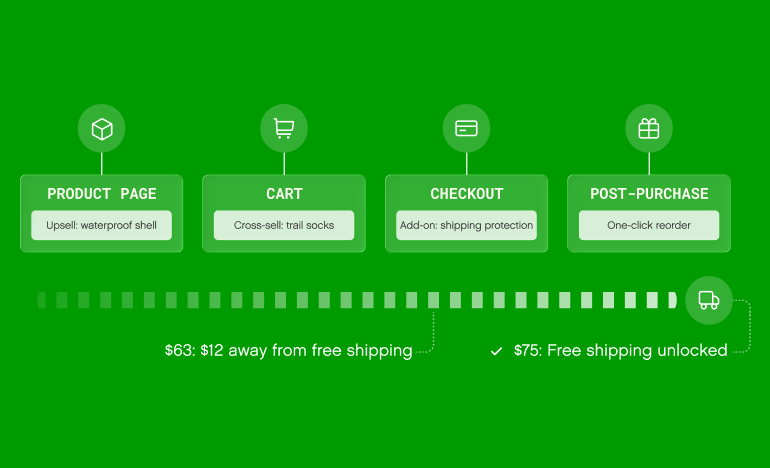
A practical AOV playbook for ecommerce teams, covering upsells, cross-sells, free shipping thresholds, bundles, mobile fixes, and how to measure lift with RPV.
By
Gladly Editorial

How to improve ROAS without increasing ad spend
Break ROAS into conversion rate, order value, and cost per click, then adjust it for returns and second orders to see what your ads really return.
By
Andrew Bennett
Ecommerce conversion rate optimization, a complete framework
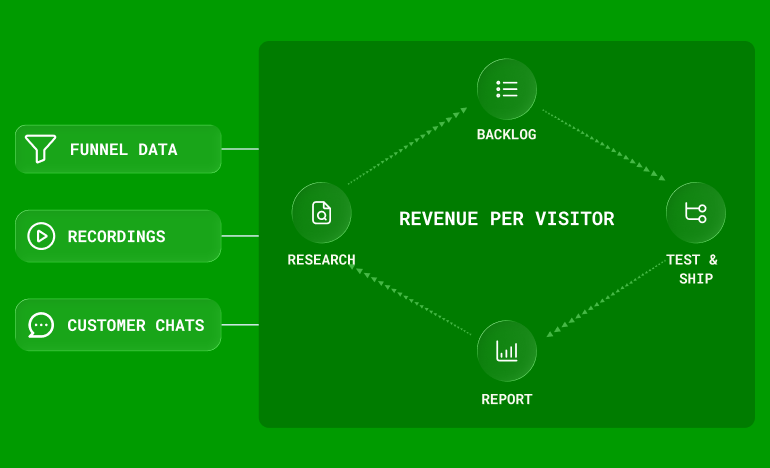
How to run ecommerce CRO as a monthly program: research that feeds a backlog, where to focus first, how to sequence tests, and how to report wins in revenue.
By
Andrew Bennett